
New Plan

500 Mbps
500 Mbps Download and Upload
$55/mo
- 24/7 US-based Customer Support
- No Contracts, No Hidden Fees
- No Limits on Usage or Devices
- Free Equipment, Setup and Install!




This Welcome Guide contains helpful information that will walk you through the basics of your new fiber internet service. Included are useful, quick guides providing do-it-yourself troubleshooting information for fiber internet service and details on the benefits of your new fiber internet.

Fast, Reliable Gigabit Speeds

Unmatched Network Reliability

Same Speeds Up and Down

Work, Learn, Stream and Play Without Buffering

Use Multiple Devices, Multiple People at the Same Time

Unlimited Data Usage Without Throttling

24/7 Live Customer Service

Ethical Personal Data Privacy

GigabitNow brings over 35 years of internet connectivity and customer-focused experience to your community. Although, GigabitNow handles the design, construction, and connectivity solutions for communities as part of its own business, ArcLink Fiber felt it important to bring the best possible internet service provider to the city of Simi Valley and GigabitNow is proud to be of service. In addition to providing turnkey solutions for the design, construction, operation and support of gigabit fiber networks, GigabitNow's parent company IsoFusion provides full-service business and enterprise internet, colocation, cloud services and more. We are truly one company to deal with that takes care of everything.
Your new GigabitNow fiber internet account is easy and simple to use! The robust dashboard allows you to be in charge of your new service. Just log-in and you will find options for the following:
Thank you for choosing GigabitNow for your fiber internet service. We are excited for you to experience internet how it is meant to be!
| Network Name: | |
|---|---|
| Network Password: |

500 Mbps
500 Mbps Download and Upload

2 Gig
2,000 Mbps Download and Upload

5 Gig
5,000 Mbps Download and Upload
Getting fast, reliable Wi-Fi and internet is essential. We use internet devices for everything from video streaming and social media sharing to home automation and monitoring 24 hours a day. Ensuring you are receiving your full internet speed is important to experience the internet to its utmost regardless if it is over Wi-Fi or connected directly by an Ethernet cable.
Sometimes it may seem like you are not getting the full speed you expect when it takes forever to upload that video or streaming Hulu, and the stream locks up right when the action is getting good. And while it's possible that there is something wrong with your Wi-Fi setup or GigabitNow internet connection, there are other factors that may be causing a slowdown on that you should check before calling GigabitNow for help

GigabitNow fiber internet allows you to use your fiber internet connection to take advantage of the latest technologies like streaming, home automation to cloud services that allow you to use backup, file and data storage.
Learn more about what you can do with your new fiber internet service, check out the following articles:
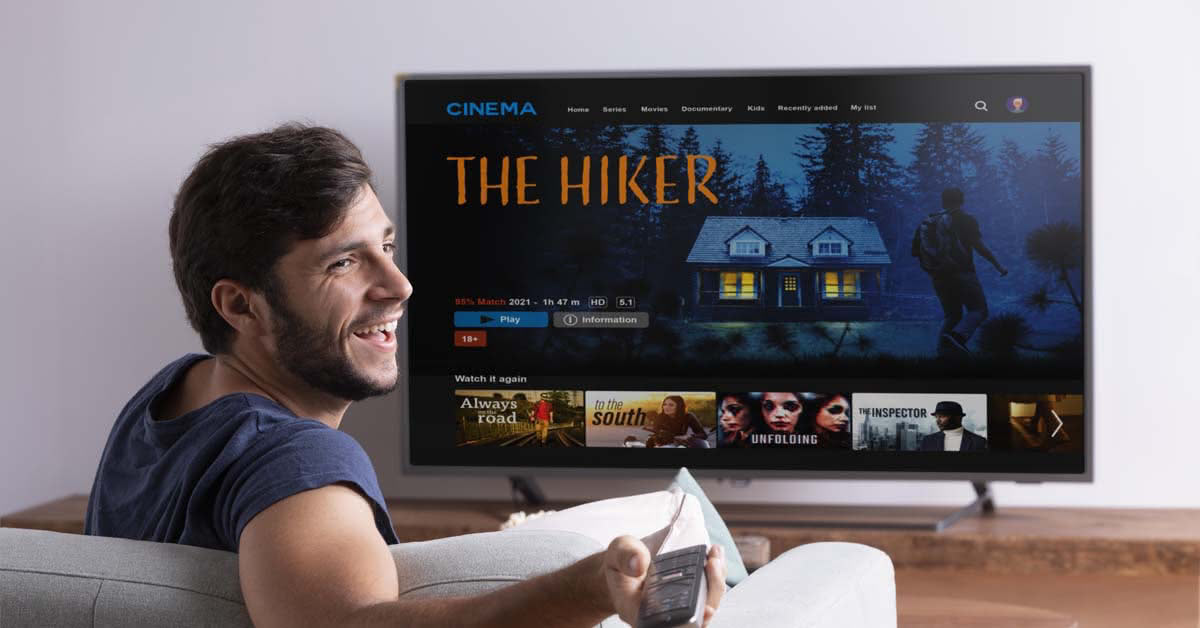
Cord cutting is the term coined for consumers moving away from classic cable TV subscriptions for their local and cable-style content, to an "over the top" solution, or Internet-streamed content solution.

Smart home automation is anything controlled remotely or automatically and is generally controlled by a remote, wireless computer.
Everyone can take advantage of all those Internet home smart devices with a GigabitNow Fiber Internet connection. Whether you live in an apartment building, condo, or house you can take advantage of all sorts of smart home devices and the efficiency and automation they offer.
After doing some homework you've decided to cut the cord from your cable television or satellite service provider. So now what? There are many options for streaming TV, movie and music content on the market today.

Everyday life requires and depends on a reliable Internet connection. Think about it, you use it for email, banking, streaming, shopping, research, entertainment and so much more.
Need help using your GigabitNow Fiber Internet?
We are here to help! Listed below are some basic troubleshooting solutions for your home Wi-Fi network along with answers that will help you navigate your home gateway. If you are still needing to solve any issue our customer service is available for you 24 hours a day, 7 days a week.

Try connecting to the Wi-Fi network with another device, like laptop computer or friend's phone. If other devices can use the network, the problem is most likely with your device.
Check whether your device can connect to another Wi-Fi network, like at a friend's house or a public network. If your device can connect elsewhere, the problem is most likely with the network.
If your device connects to the Wi-Fi network but you still have no Internet, the problem is most likely with your Internet connection
When you reconnect, we recommend checking for the latest system update. Updates can bring improvements that help fix issues.
If the power light is solid green your device has power. If the WAN/LAN lights are solid green the device is securely connected, but there is no data traveling over the lines.
No, the gateway is using the Internet connection and sending data. In the event that the lights are red, flashing or solid, there may be an issue with your gateway.
Pay attention to where you place your gateway device. Wi-Fi signals cannot broadcast through metal. Placing the gateway on top of a DVD player, or video game console, that has metal plates around it or on the interior, can impact your range Wi- Fi service speeds.
Yes, the gateway uses a laser light to transmit data. If you are required to move or troubleshoot with the gateway device, please be aware of the presence of laser light. If you look directly into laser light it can cause serious eye damage. If you see that the fiber is not connected and you observe the presence of laser light contact GigabitNow immediately.
We strongly recommend the use of a surge protector with any expensive electronics that you may own, including your gateway. Even with the most stable of power systems, using a surge protector will help protect the gateway and extend its service life span.
Warning: The fiber cable is extremely fragile, please do not touch or remove this cable. Repairs for any damage to this cable will be billed to the homeowner.
For a more complete troubleshooting guide visit our help section.